
Keyboard-first email
Get through email at the speed of your keyboard.
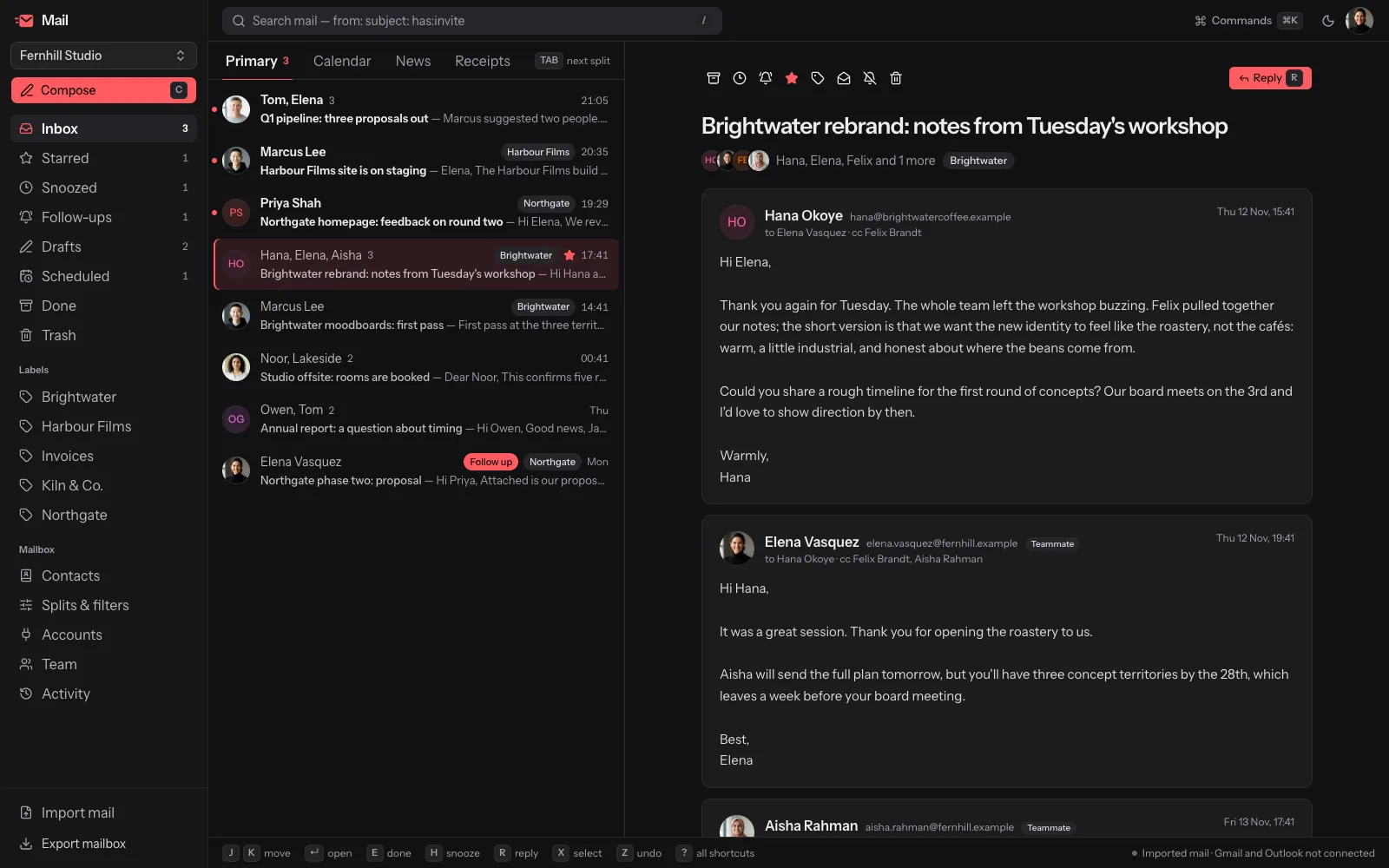
Import your mail and triage it without touching the mouse: j and k to move, e to mark done, h to snooze, / to search. Split inboxes, follow-ups, filters and bulk actions you can undo.
Free and open source. Works with .eml and .mbox exports today; live Gmail and Microsoft sync isn't switched on yet.
Shortcuts
Your hands never leave the keyboard
Every action has a key. The command palette lists all of them, so you never have to memorise more than j, k and e on day one.
Built for triage
Everything you need to get through the pile
Every action has a key, every key is listed in the command palette, and almost everything can be undone.
Split inbox
Rule-based splits for calendar invites, newsletters, senders, labels or subjects, each with unread and total counts. Tab cycles through them.
Snooze and follow-ups
h hides a thread until the time you pick, and new mail wakes it early. f brings a thread back only if nobody replied.
Filters you can test first
Rules on sender, recipients, subject, list or attachments that label, archive, star or skip the inbox — tested against your existing mail before you save.
Bulk triage with exact undo
x selects and Shift+J/K extends. Archive, trash, star or label the whole selection, and z undoes it exactly.
Mute and unsubscribe
m mutes a thread so later replies never bring it back. Newsletters show their unsubscribe options, and nothing is ever requested on your behalf.
Search with operators
from:, to:, cc:, subject:, has:invite and has:attachment, answered from an index of every imported message.
How it works
From an export to an empty inbox
- 01
Create a workspace
Sign in and create a mail workspace. Invite teammates as admins, members or read-only viewers.
- 02
Import your mail
Upload .eml files or an .mbox export. Messages are threaded and de-duplicated by Message-ID, so importing twice is safe.
- 03
Shape the inbox
Add splits and filters, test them against existing mail, and let them run on every import.
- 04
Triage from the keyboard
Move, mark done, snooze, mute, label and reply without reaching for the mouse. z undoes the last action.
Bring your mail
Start with the mail you already have
Export from your current mail client as .mbox or .eml and upload it. Mail is parsed on the server, rebuilt into threads and kept with its import history.
- Threads rebuilt from message headers, even when a reply arrives before its parent
- Re-importing the same mail never creates duplicates
- Your filters run on every import, so new mail lands where it belongs
Open source
Email software you can actually inspect
Mail is free and open source under the AGPL-3.0. Read the code that touches your messages, and export everything whenever you want.
Safe by default
Email HTML is never rendered. Messages show as text, so remote images and tracking pixels never load.
A complete export
Threads, messages, drafts, splits, snippets, filters, contacts, settings, members and the audit log, in one download.
An append-only audit log
Every change in a shared workspace is recorded, and admins can read the whole trail.
Roles for shared inboxes
Admins, members and viewers. Viewers can read every thread but never change one.
FAQ
Before you switch
Your inbox, one keystroke at a time
Create a workspace, import an .mbox export and triage it without touching the mouse.
Get started